/GRASSHOPPER MCP
Independent Project
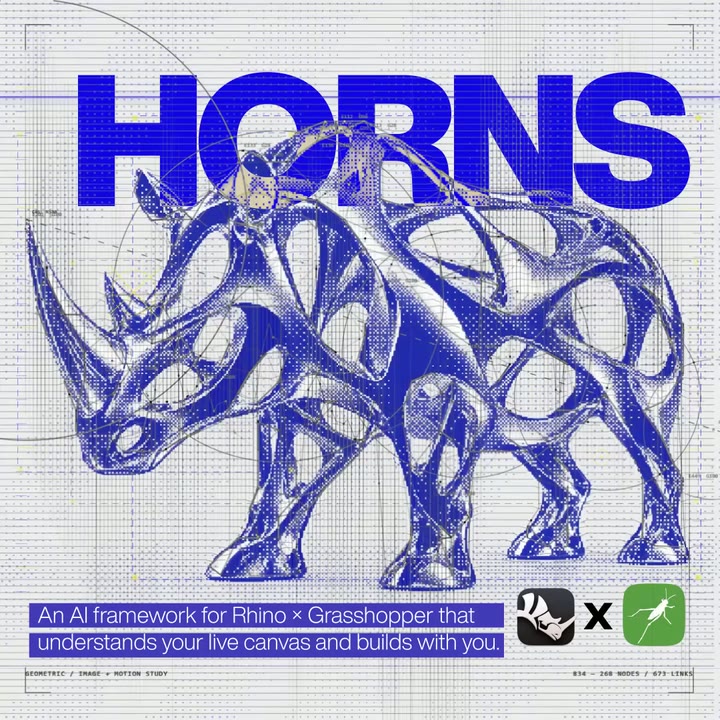
GRASSHOPPER MCP
AI that understands the graph—and has the tools to build it.
/CONTRIBUTION
I designed and implemented the knowledge graph, GhLang authoring workflow and live Rhino/Grasshopper tool bridge.
ROLE
System design and implementation
STATUS
Research prototype · prerelease
/TOOLS
Rhino 8 · Grasshopper · Python · C#/.NET · optional Neo4j
/GRASSHOPPER MCP
Independent Project

GRASSHOPPER MCP
AI that understands the graph—and has the tools to build it.
/CONTRIBUTION
I designed and implemented the knowledge graph, GhLang authoring workflow and live Rhino/Grasshopper tool bridge.
ROLE
System design and implementation
STATUS
Research prototype · prerelease
/TOOLS
Rhino 8 · Grasshopper · Python · C#/.NET · optional Neo4j
/GRASSHOPPER MCP
Independent Project

GRASSHOPPER MCP
AI that understands the graph—and has the tools to build it.
/CONTRIBUTION
I designed and implemented the knowledge graph, GhLang authoring workflow and live Rhino/Grasshopper tool bridge.
ROLE
System design and implementation
STATUS
Research prototype · prerelease
/TOOLS
Rhino 8 · Grasshopper · Python · C#/.NET · optional Neo4j
/Showcase
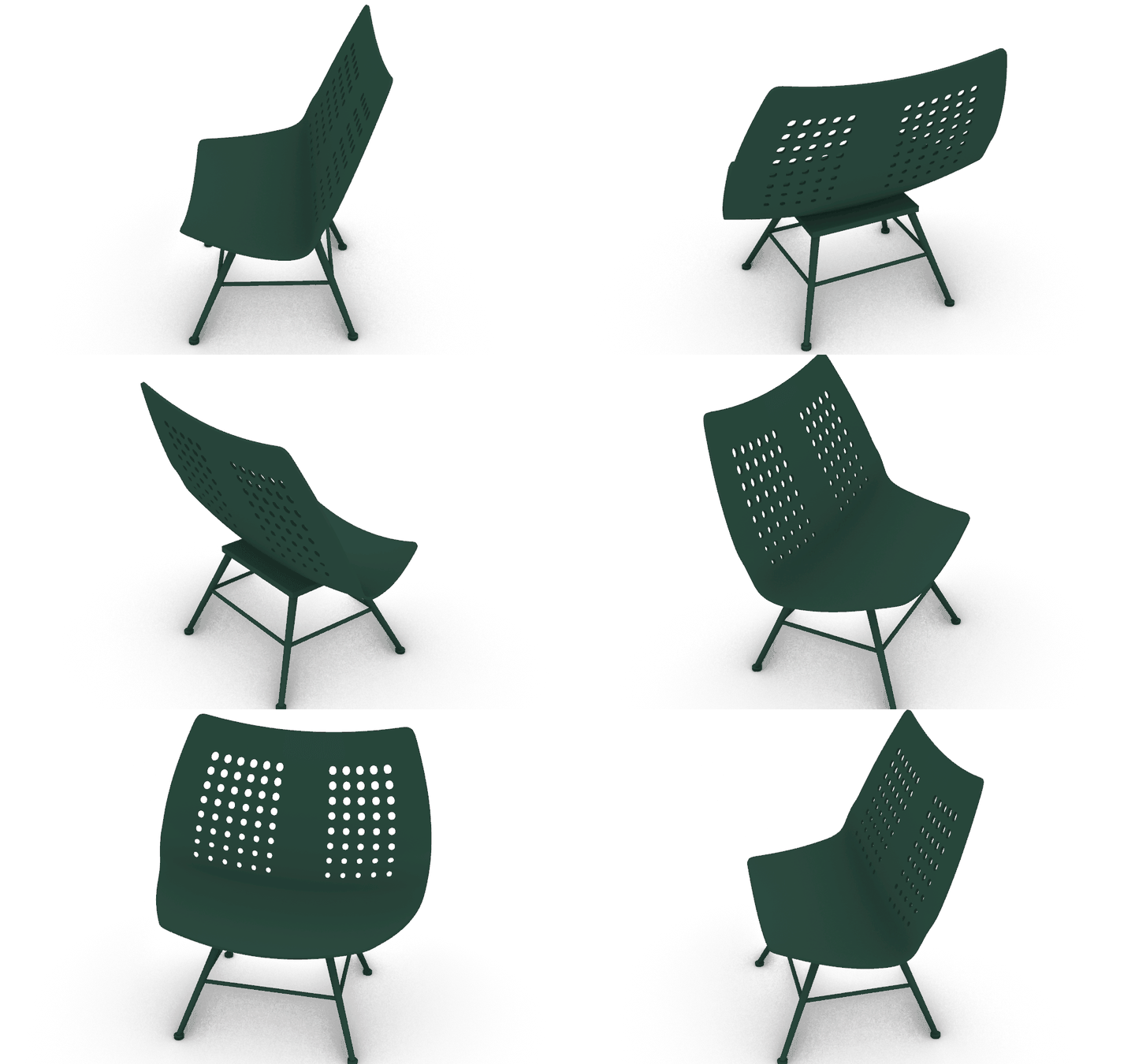
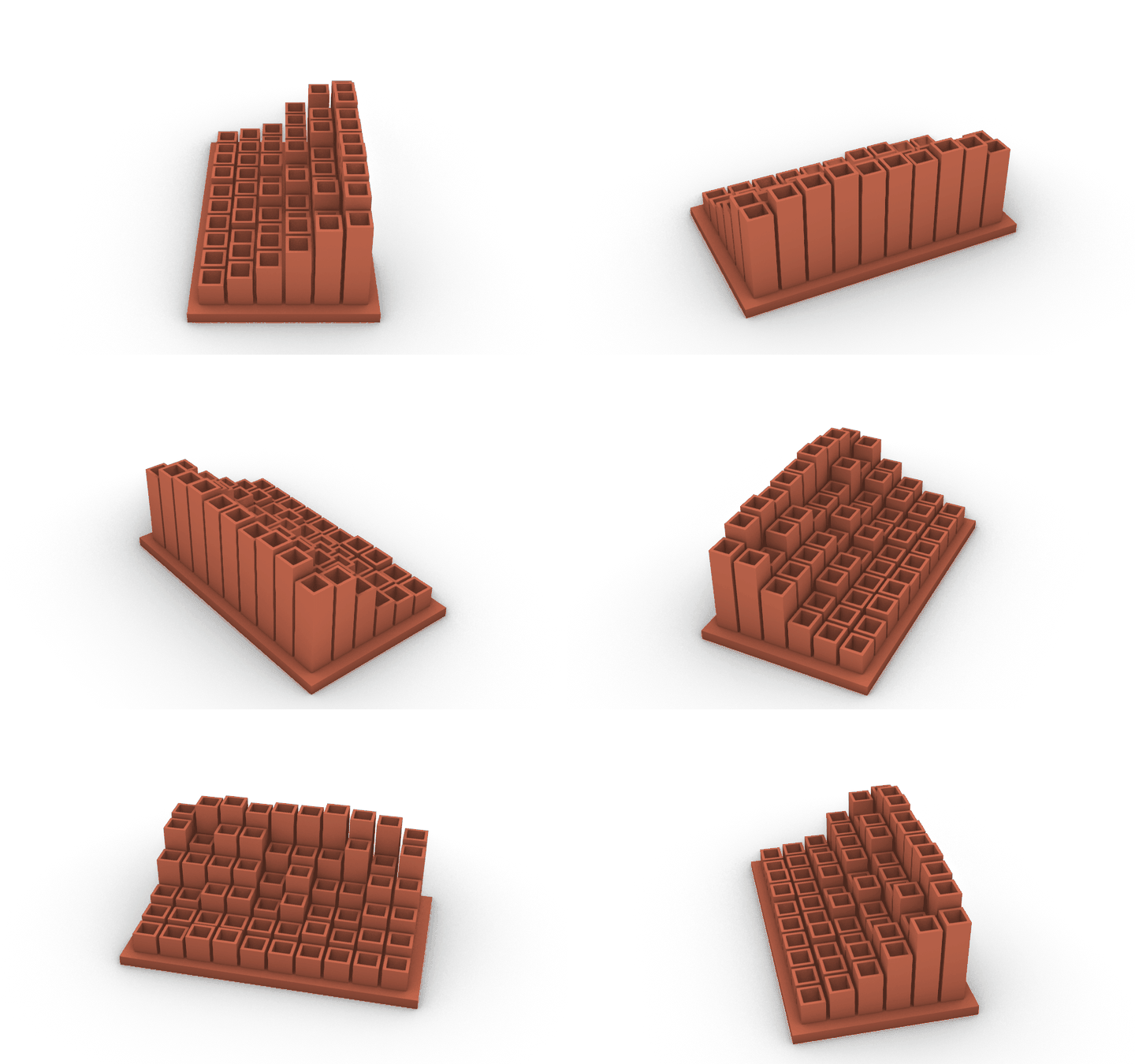
One prompt examples/No human intervention
Each family was created through a single plan, without human intervention during execution. From creating the plan to make the product to creating renders



01
/Inside the project
Give AI the knowledge to build in Grasshopper
Describe what you want to make. The AI uses component knowledge and design patterns to plan the definition. Its tools build the components and connections in your live session.
01
/Inside the project
Give AI the knowledge to build in Grasshopper
Describe what you want to make. The AI uses component knowledge and design patterns to plan the definition. Its tools build the components and connections in your live session.
The knowledge graph describes what components do, which inputs they need, and how they connect. The AI uses this information to select a method for your design.
02 / TOOLS
The AI can inspect the session, add components, connect them, and check the result. The definition stays editable.
The knowledge graph describes what components do, which inputs they need, and how they connect. The AI uses this information to select a method for your design.
02 / TOOLS
The AI can inspect the session, add components, connect them, and check the result. The definition stays editable.
EXAMPLE / THE BRIEF
Make a screen with a pattern of openings. Add a base and a panel behind the screen to spread the light.
THE DEFINITION
The script makes a reaction-diffusion pattern. It maps the pattern onto a curved shell, then adds the base and rear panel.
BUILD

THE RESULT / One plan builds the definition without human intervention during execution.
EXAMPLE / THE BRIEF
Make a screen with a pattern of openings. Add a base and a panel behind the screen to spread the light.
THE DEFINITION
The script makes a reaction-diffusion pattern. It maps the pattern onto a curved shell, then adds the base and rear panel.
BUILD
THE RESULT / One plan builds the definition without human intervention during execution.
/THE DESIGN TASK
95%
Lower token usage
Compared with component-by-component Rhino/Grasshopper MCP authoring workflows.
150–200
Components added in under 5 seconds
Batch component addition inside Rhino and Grasshopper.
/THE DESIGN TASK
95%
Lower token usage
Compared with component-by-component Rhino/Grasshopper MCP authoring workflows.
150–200
Components added in under 5 seconds
Batch component addition inside Rhino and Grasshopper.
02
/Inside the project
From one plan to a working definition
Brief → find → resolve → author → check → execute and refine.
02
/Inside the project
From one plan to a working definition
Brief → find → resolve → author → check → execute and refine.
/READABLE GRAPH
GhLang gives the assistant a compact way to name components, values and wires. Instead of repeatedly describing isolated operations, it can work with the structure of a definition.
/LIVE IMPLEMENTATION
Python coordinates knowledge, tools and compilation. The C# bridge applies operations inside Rhino and Grasshopper, keeping the graph editable in the live session.
/READABLE GRAPH
GhLang gives the assistant a compact way to name components, values and wires. Instead of repeatedly describing isolated operations, it can work with the structure of a definition.
/LIVE IMPLEMENTATION
Python coordinates knowledge, tools and compilation. The C# bridge applies operations inside Rhino and Grasshopper, keeping the graph editable in the live session.
From one plan to an editable definition
Choose a capability to explore how the workflow works.

Interactive demonstration / icons by Lucide and Tabler.
03
/Inside the project
From computational principles to product form
Choose a family. Follow its generator, formed geometry, product details and parameter variation.
03
/Inside the project
From computational principles to product form
Choose a family. Follow its generator, formed geometry, product details and parameter variation.
Woven carrier
Interlaced ribbon families turn a simple vessel envelope into an over-and-under weave, with a rim, base and handle.

More distinct views (1)
24 → 32 warp ribbons; 10 → 12 weft hoops. The second variant uses narrower ribbons and a larger envelope.
Earlier form explorations
The twelve initial A/B views are retained alongside the developed product families.
Inspect, compare and present the result
Choose a capability to explore how the workflow works.

Interactive demonstration / icons by Lucide and Tabler.
04
/Inside the project
All the tools to keep the workflow moving
Read the current model, check the next change and use the access each action needs.
04
/Inside the project
All the tools to keep the workflow moving
Read the current model, check the next change and use the access each action needs.
01 / CHECK
Validate the target document and revision, apply the plan and read solve diagnostics.
02 / CONNECT
Use canvas, selection and resource updates to work against the current definition.
03 / CONTROL
Save useful states, restore variations and request local permission for authoring or executable code.
01 / CHECK
Validate the target document and revision, apply the plan and read solve diagnostics.
02 / CONNECT
Use canvas, selection and resource updates to work against the current definition.
03 / CONTROL
Save useful states, restore variations and request local permission for authoring or executable code.
Tools for a connected design workflow
Choose a capability to explore how the workflow works.

Interactive demonstration / icons by Lucide and Tabler.
05
/Inside the project
Less overhead. More design iteration.
Knowledge reduces repeated discovery. Readable plans reduce graph chatter. Batch execution reduces round trips.
05
/Inside the project
Less overhead. More design iteration.
Knowledge reduces repeated discovery. Readable plans reduce graph chatter. Batch execution reduces round trips.
From design intent to implementation
KNOWLEDGE
Understand before implementing
The KG supplies component and design knowledge; installed context grounds the plan in the running session.
COORDINATION
Build through one plan
Readable graph authoring and the implementation toolset carry the design from brief to an editable definition.
ITERATION
Spend less on repetitive interaction
95% lower token usage compared with component-by-component MCP authoring workflows, with 150–200 components added in under 5 seconds.
From design intent to implementation
KNOWLEDGE
Understand before implementing
The KG supplies component and design knowledge; installed context grounds the plan in the running session.
COORDINATION
Build through one plan
Readable graph authoring and the implementation toolset carry the design from brief to an editable definition.
ITERATION
Spend less on repetitive interaction
95% lower token usage compared with component-by-component MCP authoring workflows, with 150–200 components added in under 5 seconds.
Rhino 8 and Grasshopper on Windows, connected through a local plugin and MCP server. Neo4j adds stored design knowledge. Setup and local access approval precede autonomous execution.